Platform Services overview
 Related topics
Platform Services is a tool set that developers can use to customize and extend Intacct. Using Platform Services, you can create trusted solutions that help you efficiently handle business processes for your unique needs. Platform Services also allows you to share the solutions you create or to install solutions created by others.
Think about the processes that you handle manually in your business. These processes might include things like fixed asset depreciation, investor relations, incentive management, and collections. With Platform Services, you can create applications within Intacct to manage these areas. For example, your application might manage data entry, workflows, automated actions, security, and reporting.
Who can use Platform Services?
Creating solutions in Platform Services requires you to be a full administrator. Also, check that you have permissions to Platform Services and any object being used as part of a solution.
You can deploy Platform Services solutions in your company by contacting an Intacct-ready Partner to build a solution for you. Or, you can install one of the dozens of custom solutions featured on the Intacct Marketplace.
Personalize Platform Services
You can personalize Platform or Customization Services through your user preferences. Enabling Platform and Customization Services for Action UI allows you to use developer tools for page scripts.
| Field | Description |
|---|---|
|
Display layout in new user interface |
Select Custom and customized pages to update pages that have been created or customized using Platform or Customization Services to Action UI. This option is disabled by default. Select Platform and Customization Services to use Platform and Customization Services in the Action UI. This option is enabled by default. This setting enables you to personalize Platform Services with more developer tools. Platform developers are encouraged to enable the Action UI for Custom and customized pages and verify their customizations. |
|
Script component theme |
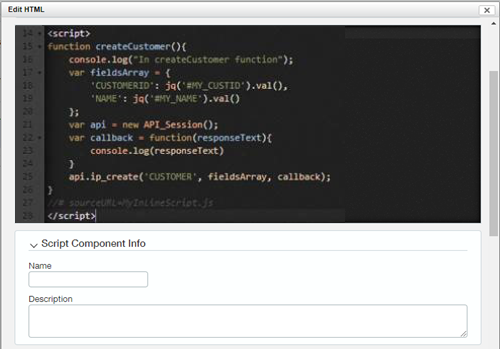
Select Light mode or Dark mode. This setting enables all script component text editing areas to use the CodeMirror® library. This library improves the script editing experience when adding a custom script to a page.
|
|
Script component debug all scripts |
Select On or Off. Choosing On enables the autogeneration of debug file names for page scripts. The debug file name follows the naming conventions |
Platform Services help
For more information, go to Customization and Platform Services and Platform Services.
