Accounts Receivable
Apply payments from the AR sales invoices list in a multi-currency company
This idea came from you!
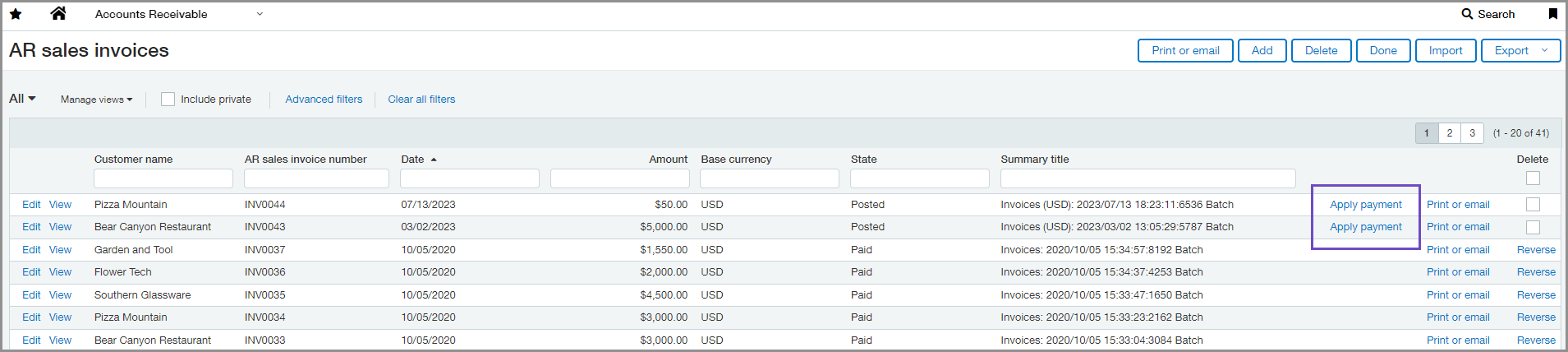
In multi-currency companies, you can now apply payments for individual AR sales invoices directly from the AR sales invoices list. Previously, you could only do this if your company uses a single currency.
Details
You can apply payment for an AR sales invoice using the Apply payment link when the AR sales invoice has a state of Posted and meets the following conditions:
-
The AR sales invoice was created at the same entity level in which you are viewing the AR sales invoices list.
-
The amount is a positive amount.
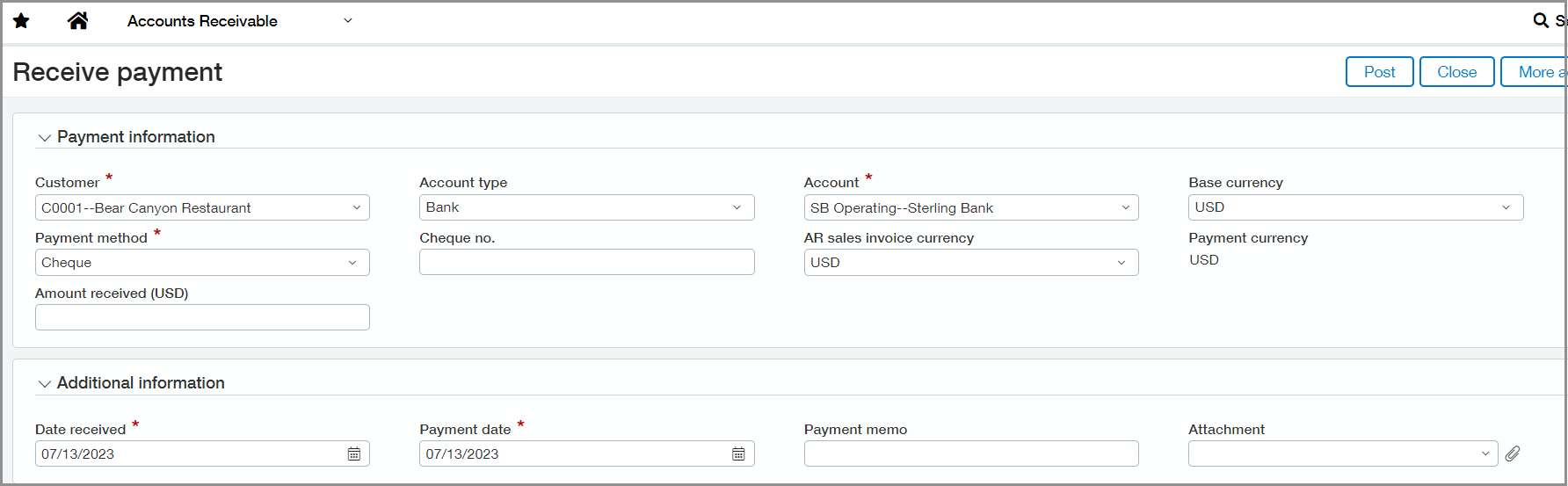
When you select Apply payment for an AR sales invoice, a Receive Payment page opens and prompts you for payment information, such as the payment method and amount. You can apply the payment to a single AR sales invoice or add more AR sales invoices to the list.
How it works
-
Go to Accounts Receivable > All > AR sales invoices.
If an AR sales invoice was created at the entity level, go to the AR sales invoices list for that entity.
-
Select Apply payment next to the AR sales invoice the customer paid.
The Receive Payment page opens.
-
Enter the payment information.
-
Select Post.
The payment appears on the Posted Payments list and the customer's account balance decreases.
Requirements
| Subscription |
Accounts Receivable |
|---|---|
| Regional availability |
All regions |
| User type | Business user with admin privileges |
| Permissions |
AR sales invoices: List, View Manage payments: Run |
| Configuration |
Multi-currency company |
