Time and expenses
Sage Intelligent Time enhancements
We have some exciting updates to the Sage Intelligent Time (SIT) standalone application:
-
Users can now upload attachment files to their timesheets.
-
Managers can now create and edit timesheets on behalf of their employees.
-
We reorganized the time entry page for clarity and added additional fields.
-
You can now log in to SIT using your Sage Intacct credentials.
Add attachments to Sage Intelligent Time timesheets
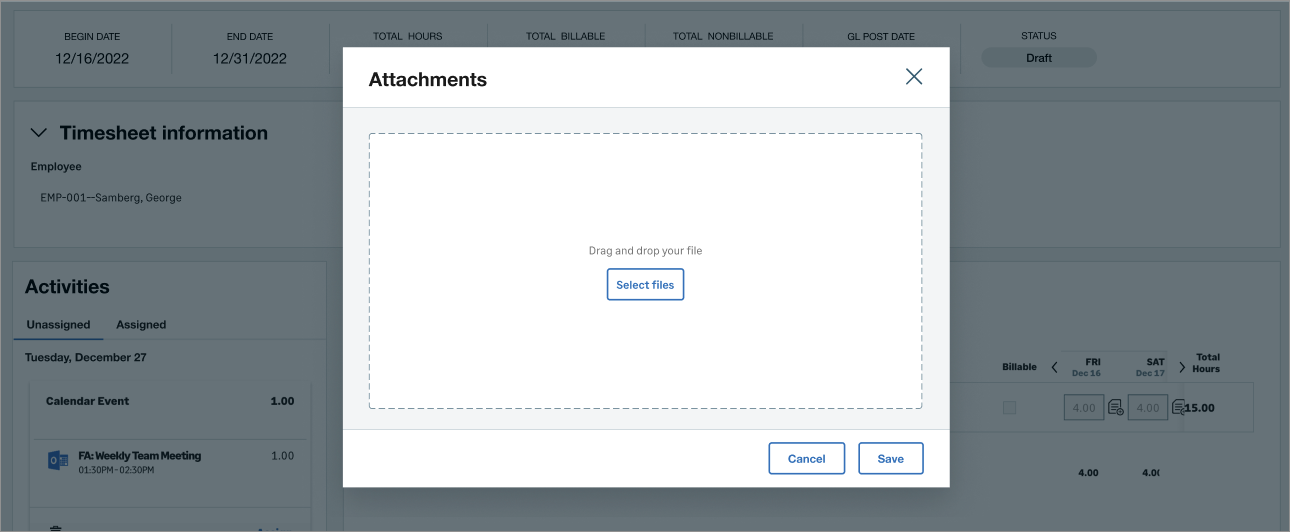
Attachments allow you to add additional context or supplemental data to a timesheet. For example, you can upload a PDF supporting the amount of time you spent working on a project.
Users can add, view, or delete attachments when editing and approving timesheets.
How it works
As an employee:
-
Log in to SIT.
-
Go to My Timesheets.
-
Create or edit a timesheet.
-
In the Timesheet information section, select Manage attachments.
-
Upload, view, or remove attachments.
-
Select Save.
As a manager:
-
Log in to SIT.
-
Go to Staff Timesheets or Approvals.
-
Select Manage attachments.
-
Upload, view, or remove attachments.
-
Select Save.
Manage staff timesheets in Sage Intelligent Time
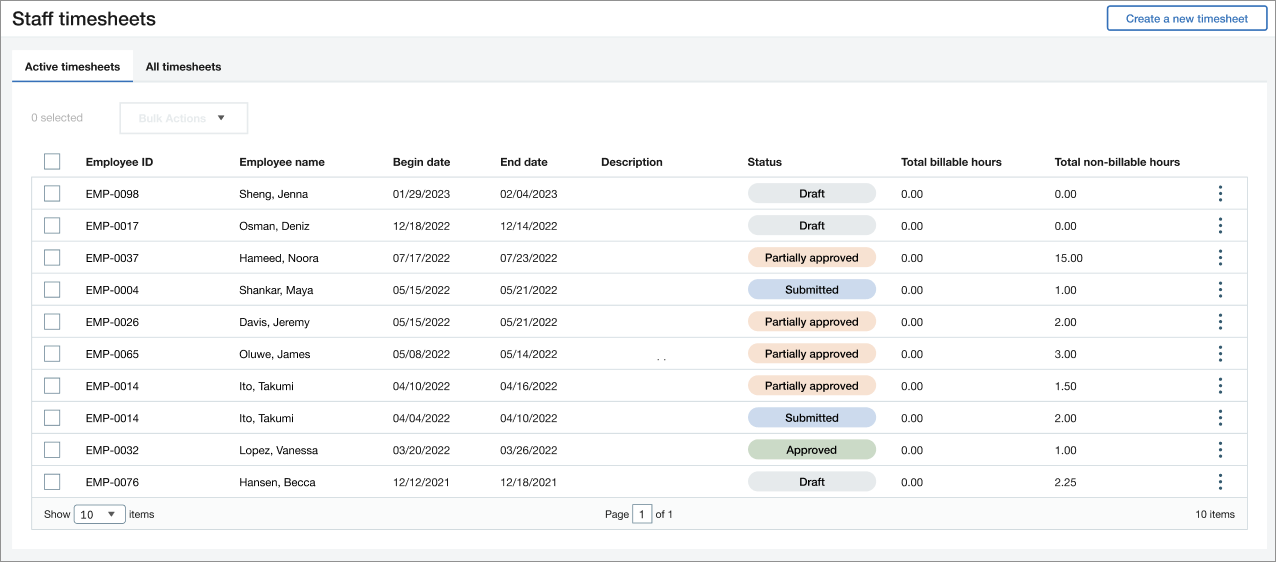
The Staff Timesheets page is similar to the My Timesheets page. However, instead of your own timesheets, it shows all employee timesheets. Now, managers can conveniently edit and create timesheets on behalf of their employees.
Details
Managers can perform the following activities on the Staff Timesheets page:
- View all employee timesheets.
- Create a timesheet on behalf of an employee.
- Edit an existing timesheet on behalf of an employee.
How it works
As a manager:
-
Log in to SIT.
-
Go to Staff Timesheets.
-
Select a timesheet to edit, or select Create a new timesheet and select an employee's name.
User interface enhancements
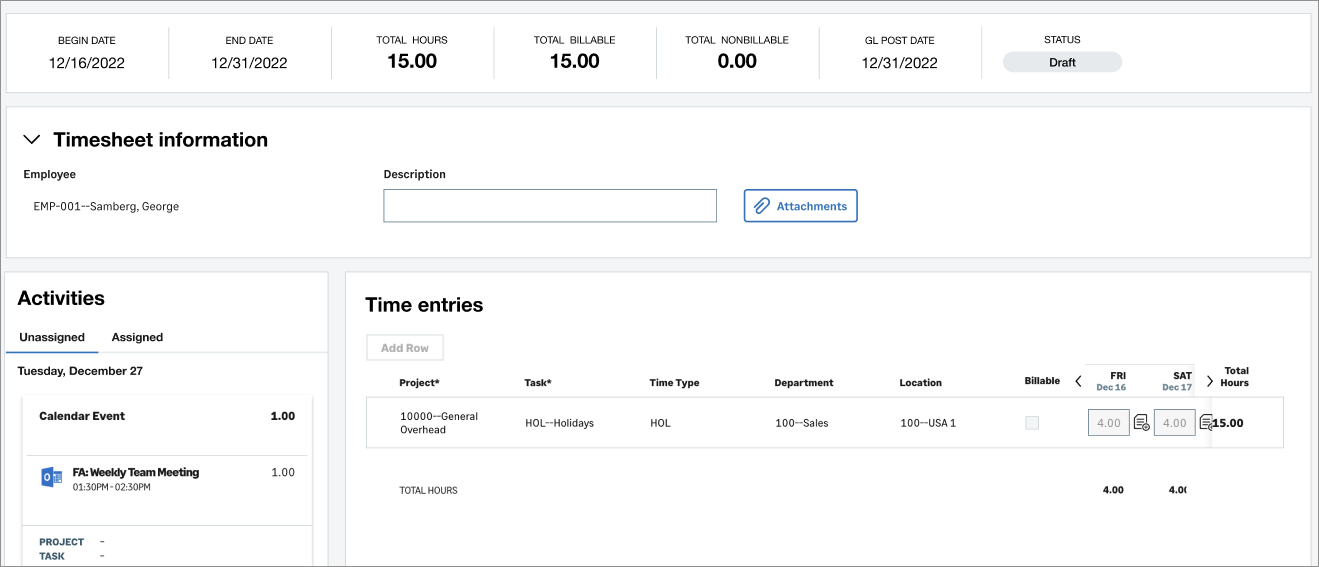
We reorganized information, added fields, and renamed existing fields for clarity and to streamline your time tracking workflow.
Details
- General timesheet information is reorganized into two distinct sections at the top of the page, providing a clear overview of your timesheets.
- New GL post date field, which defaults to the timesheet's End date.
- New Employee field, which manager have the ability to edit.
- Data sources are renamed to Time sources throughout the application.
Log in to SIT using Intacct credentials
SIT now offers the convenience of using Intacct credentials to log in, eliminating the need for separate accounts. This enhancement simplifies the timesheet process and reduces the number of accounts employees need to manage. However, this change does not occur automatically. Users can continue to log in with their existing credentials. If you are interested in making the switch to Intacct credentials, contact your account manager.
Requirements
| Subscription |
You must be subscribed to at least one of the following Sage Intacct applications:
|
|---|---|
| Regional availability |
|
| User type |
|
