Account group types
Related information
 Related topics
When you create a new account group, you also indicate what type of account group you want it to be. Different account group types yield different results in your financial reports.
Types of account groups
Accounts
These are the simplest and most basic type of account groups. They consist of 1 or more GL accounts from your chart of accounts. You can include individual named accounts or ranges of accounts.
|
Account Account Account Account |
|
Account Group |
|
Financial Report |
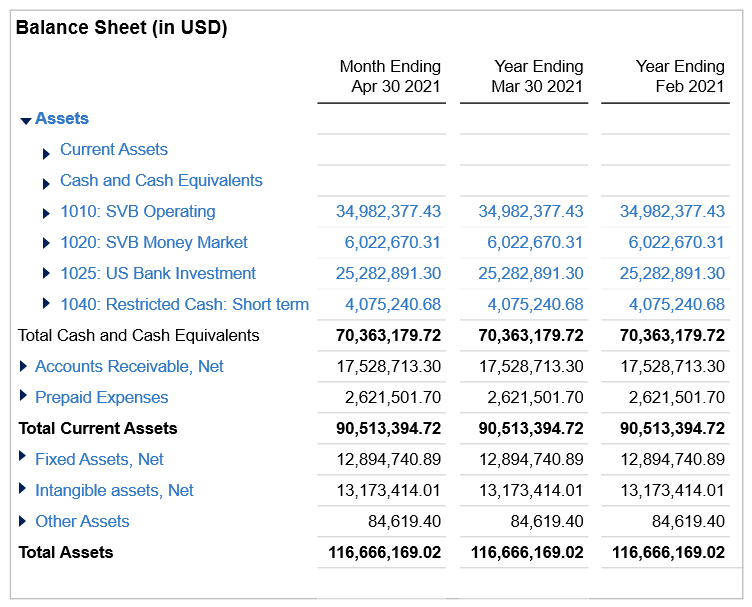
For example, you might create a Cash and Cash Equivalents account group that contains various bank and investment accounts.
Account groups
A "group of account groups" contains other account groups, thus forming a hierarchy. You can have groups within groups within groups, and so on, to any level of depth.
For example, the Assets account group might consist of 4 discrete account groups: Current Assets, Fixed Assets, Intangible Assets, and Other Assets. Each account group can contain additional subgroups.
Statistical Accounts
Statistical account groups include accounts that contain specific nonfinancial data, such as headcount, hospital beds, square footage, or hotel rooms. Using statistical account groups, you can calculate against and report on data to get a virtually unlimited variety of ratios and business metrics, such as average deal size or revenue per hotel room.
Category or Statistical Category
These apply if you used a setup template when you first created your company in Intacct. If so, the system automatically assigns pre-configured account groups to each of the accounts in your chart of accounts; those account groups, in turn, are used in pre-designed standard financial reports and graphs. Creating new categories isn't supported.
As you create new accounts, you tag each new account with a category, which automatically “enrolls” that account into the relevant account groups.
|
Account Account Account Account |
|
Category Category |
|
Account Group |
|
Financial Report |
To find out if your company was created using a QuickStart template, go to the Accounting tab on the Company information page (Company > Setup > Configuration > Company).
If a template was used, the type appears in the QuickStart template field. If the field is blank, the company was not set up using a template.
Computation
Computation account groups consist of other account groups or individual accounts that you use as components in a mathematical equation; results of the equation display in your financial report. For example, "Revenue Per Employee" could be constructed as "Revenue GL account / Employees statistical account." Similarly, you could construct an account group as "Revenue."
Computation account group is the only type of account group that allows setting the number of decimal places. Any computation account group includes this option.
- A commonly used computation-type account group might be to show an operating margin using the formula Operating net income / Net sales. Define the number of decimal places and type, and optionally include the unit used, for example number or percent.
- To use more than the default 2 decimal places without affecting the actual numbers, create a computation account group that:
- includes only 1 account group
- has a computation formula as Constant, and that constant is set to 1
- has an action to multiply (x) the selected account group
- has Decimal places set to the number of decimal places to display when no rounding is applied. The minimum is 0 and the maximum is 9.
You can then use that group as part of other groups, as a standalone group, or in performance cards on dashboards.
