Time and Expenses
Automate employee expenses
Now available in multi-currency
We're introducing a new multi-currency workflow for the submission of employee expenses. This feature allows employees to email their expense receipts directly to Sage Intacct from any device, ensuring both time savings and accuracy.
Details
-
AI-powered receipt coding: Employees can email their travel or other receipts, which are then processed using artificial intelligence (AI) to assist in coding. Machine learning (ML) technology remembers these changes for future receipts, simplifying the expense report process.
-
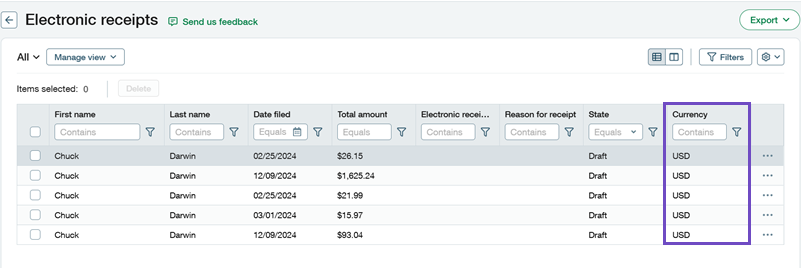
Receipt management: A new list called Electronic receipts includes links to the original receipts emailed by employees. You can add these receipts to an expense report, associate the full amount with an expense type, or split the receipt across multiple expense types. Depending on permissions, you can also remove receipts from the employee.
-
Employee-specific receipts: Only receipts for the respective employee appear in their list, ensuring organized and accurate expense tracking.
-
Staff expense permissions: Users with staff expense permissions can create staff expenses and incorporate emailed employee receipts.
How it works
-
Email receipts: Employees email their receipts to a designated Sage Intacct email address. These receipts become receipt records in Sage Intacct.
-
AI data population: AI technology populates the receipt records in Sage Intacct with relevant data, such as expense codes.
-
Edit receipts: Employees can update their receipt records with additional details or coding. Machine learning (ML) remembers the changes for future receipts.
-
Create an expense report: When creating an expense report, employees can easily include one or more of their receipt records.
Permissions and other requirements
| Subscription |
Time and Expense Sage Cloud Services |
|---|---|
| Regional availability |
United States |
| User type |
Business Employee |
| Permissions |
Time and Expenses
|
| Configuration |
|
