Get started with reconciliation
Related information
 Related topics
Welcome to Sage Intacct reconciliation! We'd like to share some resources to help you get started:
- Videos that show you how to perform some of the basic reconciliation tasks.
- Quick links to help topics.
Watch videos to learn the basics
The Video library contains short demonstrations of common tasks, and there's no registration required.
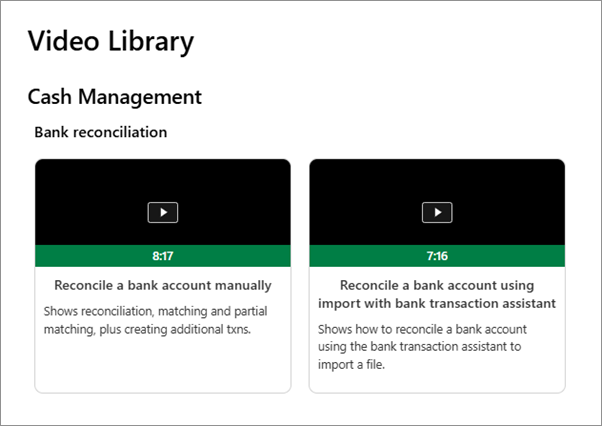
The reconciliation videos show you how to perform tasks like reconciling a bank account manually, importing transactions, and resolving unmatched transactions.
Get reconciliation help
Our Help Center includes both basic and in-depth information on Sage Intacct features and functions.
The reconciliation help includes information and instructions from how to reconcile in Sage Intacct, to first time reconciliations, and more. Read more about reconciliation and how to get your job done:
- About reconciling in Sage Intacct - Understand when and where to reconcile, how to separate tasks with permissions, and different methods of matching transactions.
- Best practices for reconciling - Learn best practices for reconciling in a multi-entity company, creating rules and rule sets, and reopening a reconciliation.
- Enter initial open items - Manually add or import outstanding items that have not yet cleared the bank.
- First time reconciling - Learn how to reconcile an account for the first time, and what the AUTO ENTRY and AUTO CONTRA fields mean.
- Automatically match transactions for reconciliation - Use rules and rule sets to automatically match transactions for reconciliation.
- Manually match (clear) transactions for reconciliation - Learn about the scenarios where you can manually match (clear) transactions.
Check out what's new
The release notes have the latest updates and features in Sage Intacct. All the information is organized by release and application.
View the release notes.
