Customization Services overview
 Related topics
Customization Services gives you the tools to extend Sage Intacct. The feature allows you to:
• Create a new field in a record.
• Run reports on data or on a custom field.
• Communicate accounting activity immediately and automatically to key employees.
• Send automatic emails to customers and vendors regarding sales and purchase orders.
• Create rules and warnings that help to guide your users.
As you use Customization Services, you can better adapt the Intacct solution to your business needs. Implement unique reports, fields, and activities related to your business to improve processes. Use these Intacct tools to contribute to your organization’s profitability and to adhere to compliance laws.
Who can use Customization Services?
Almost anyone can use Customization Services. Although many companies rely on their developers to perform customization tasks, any Intacct user can adapt Intacct to their unique business processes. If you understand the results you want to achieve using basic accounting reporting principles, consider using Customization Services.
Personalize Customization Services
You can personalize Platform or Customization Services through your user preferences. Enabling Platform and Customization Services for Action UI allows you to use developer tools for page scripts.
| Field | Description |
|---|---|
|
Display layout in new user interface |
Select Custom and customized pages to update pages that have been created or customized using Platform or Customization Services to Action UI. This option is disabled by default. Select Platform and Customization Services to use Platform and Customization Services in the Action UI. This option is enabled by default. This setting enables you to personalize Platform Services with more developer tools. Platform developers are encouraged to enable the Action UI for Custom and customized pages and verify their customizations. |
|
Script component theme |
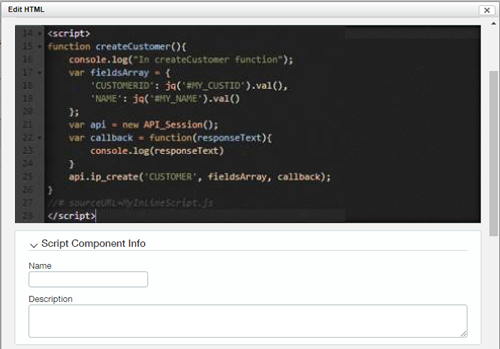
Select Light mode or Dark mode. This setting enables all script component text editing areas to use the CodeMirror® library. This library improves the script editing experience when adding a custom script to a page.
|
|
Script component debug all scripts |
Select On or Off. Choosing On enables the autogeneration of debug file names for page scripts. The debug file name follows the naming conventions |
Customization Services help
For more information, go to Customization and Platform Services. For more in-depth Customization Services examples and use cases, go to Sage Intacct Developer portal (Legacy XML API).
