ICRW Designer users
Related information
 Related topics
What you are able to see and do as a Designer user in Interactive Custom Report Writer (ICRW) is determined by a combination of your Sage Intacct company and ICRW permissions:
- ICRW subscription: Designer module
- Company user role
- ICRW user role
- Application, data, and individual report privileges
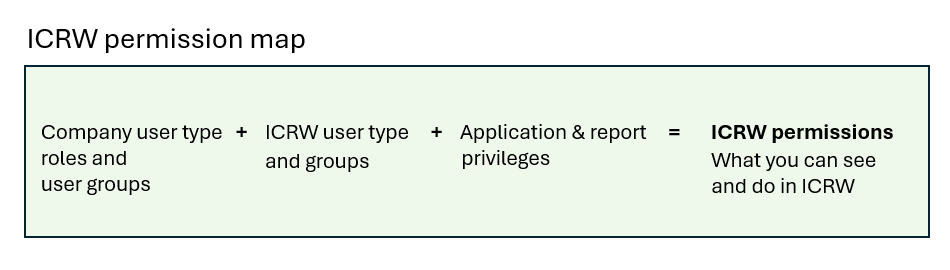
The following image maps out the Company and ICRW permission requirements in a simple formula. For more information, see About ICRW permissions.
What are ICRW Designer users?
ICRW Designer users is a set of user types, each with a different set of permissions. The ICRW Designer module subscription has three Designer user types:
- Business: typically assigned a Company Business user type with admin privileges
- Project Manager: typically assigned a Company Project Manager or Employee user type
| Subscription | Interactive Custom Report Writer
Platform Services |
|---|---|
| Regional availability |
All regions |
| User type | Interactive Custom Report Writer: Business, Project Manager |
| Permissions |
Interactive Custom Report Writer: Run, List, View, Add, Edit, Delete Platform Services: Run, List, View, Add, Edit, Delete
|
What can Designer users do?
ICRW Designer users have the following capabilities in ICRW:
- Business user with Admin privileges: has administrator access to full ICRW functionality
- Business users with Power User privileges: can add, edit, and delete reports
- Project Manager user: can access ICRW report lists, applications with saved ICRW reports, report lists with Run, Edit, and Delete links
- All Designer users: can run, memorize, schedule, and print reports
Video: Assign ICRW Designer permissions
The following video explains the different types of permissions available in ICRW and how to grant designer access.
Learn more
For more information, see the following topics:
