Company and Administration
Global Transaction Security
Build trust in your business with tools that help prevent fraudulent activity and ensure the integrity of your accounting data. When you subscribe to Global Transaction Security, you can configure each entity to meet the transaction security requirements of the entity's operating country.
Details
In some regions, companies are not allowed to edit or delete transactions after they have been posted to the General Ledger. Our new Global Transaction Security subscription helps companies comply with these requirements.
When you subscribe to Global Transaction Security, you can prevent users from editing, deleting, or reclassifying transactions posted to the General Ledger. Companies with multiple entities have more granular control to configure this security at the entity level.
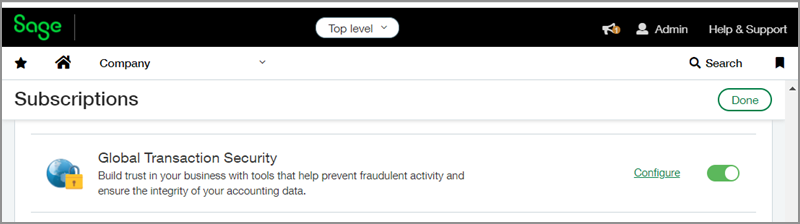
When enabled, Global Transaction Security implements the following restrictions:
-
It disallows all delete permissions for transactions.
-
It disallows all edit permissions for transactions.
-
It disallows all reclassification permissions for transactions.
Users with the appropriate permissions can edit, delete, and reclassify transactions that have not been posted to the General Ledger, including transactions in draft, submitted, and partially approved states.
Administrators can change these restrictions at any time.
How it works
Administrators can subscribe to and configure Global Transaction Security on the Subscription page for their company.
-
At the top level, go to Company > Admin > Subscription > Global Transaction Security.
-
Toggle Global Transaction Security on or off.
-
Select Configure.
-
On the Configure Global Transaction Security page, select the following restrictions to apply for users. You can leave the restrictions unselected if you prefer to configure security at the entity level:
-
Disallow delete permissions for transactions posted to the General Ledger.
-
Disallow edit permissions for transactions posted to the General Ledger.
-
Disallow reclassification permissions for transactions posted to subledgers or the General Ledger.
-
After you subscribe to Global Transaction Security at the top level, you can use the same steps to configure each individual entity. Entity configurations override the configuration at the top level.
Requirements
| Subscription |
Global Transaction Security |
|---|---|
| Regional availability |
All regions |
| User type | Business user with admin privileges |
