Consolidation
Introducing Advanced Ownership Consolidation
Sage Intacct introduces Advanced Ownership Consolidation, a new subscription that provides partial ownership through tiered consolidation.
As your business expands and you diversify your portfolio, it might become necessary for you to consolidate financial data across multiple entities with varying percentages of ownership. This new subscription offers exactly that.
Advanced Ownership Consolidation streamlines the consolidation process at the entity level by period and includes ownership percentages as part of consolidation.
By simplifying multi-level consolidation through partial ownership, Sage Intacct helps your business to save time and resources while enhancing accuracy and efficiency.
Benefits of Advanced Ownership Consolidation
- Improve accuracy and efficiency in the consolidation process by accounting for varying ownership percentages of entities in your Sage Intacct company. Avoid time-wasting corrections and minimize complexity with automated consolidation, non-controlling interest, and eliminations.
- Ensure accurate and transparent financial reporting, giving stakeholders a big picture view of your business. With a more accurate view of the finances of your business, you can make better-informed decisions regarding investments, resource allocation, and strategic planning.
- Streamline workflows, saving time and reducing the risk of errors. Ownership history management enables Intacct administrators to confirm the accuracy of ownership structures by reporting period.
- Manage complex ownership structures by period with reporting books generated for each reporting level and parent entity.
- Seamlessly work with Intacct reporting, using standard reports or Financial Report Writer.
How it works
Intacct provides a new ownership structure object that you use to define a hierarchical structure of business entities. This ownership structure object includes complex information such as parent and subsidiary relationships, the percentage of each entity that is owned by the company, and the method of consolidation to be used.
- Create an ownership structure with the entities you want to consolidate.
- Enter the percentage of ownership for the relevant entities.
- Select the consolidation method you want to use.
- Run the consolidation and view the status of the consolidation.
What happens next
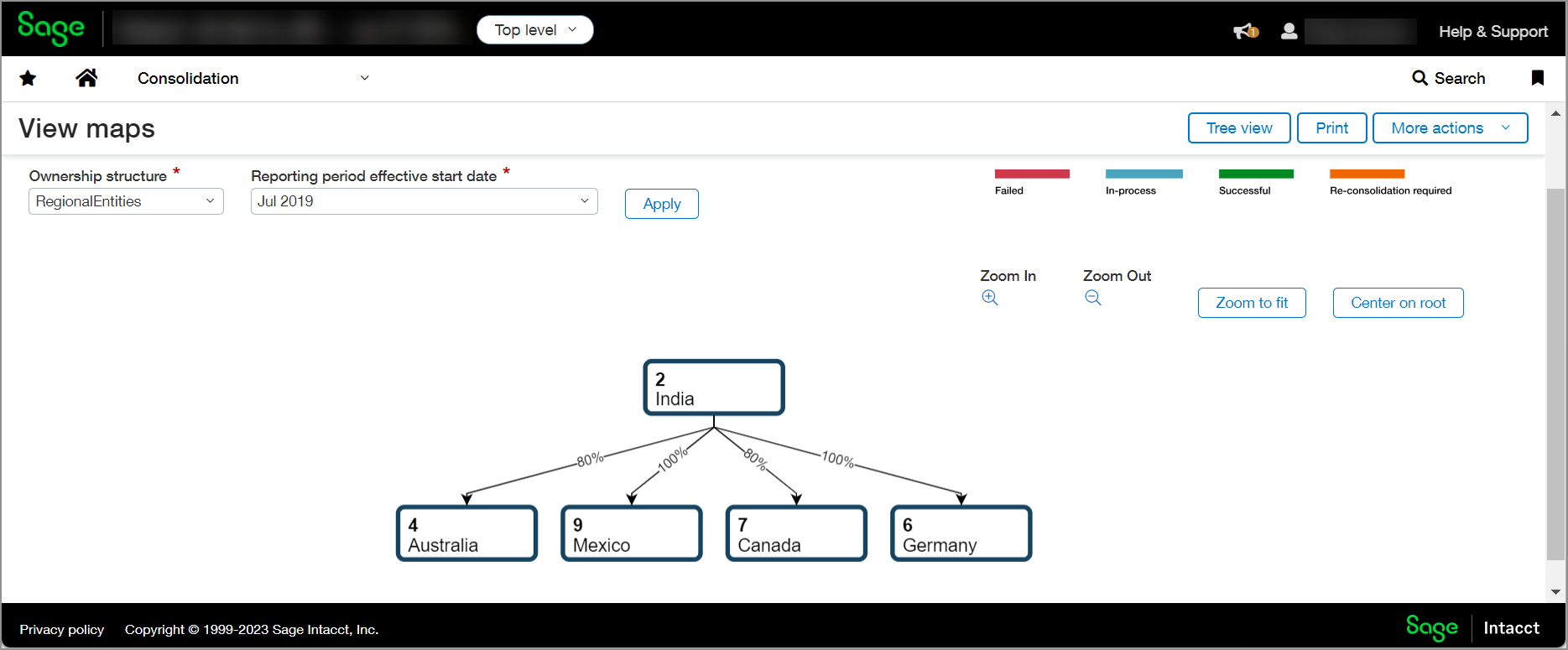
As your company structure changes over time, modify your ownership percentage as needed. Does your company now own 70 percent of entity E101? Edit the ownership structure for the current period to reflect this change. Do you have a new entity that you need to include in the ownership structure? Edit the ownership structure for the current period to reflect this change. You can get a broader picture of your ownership structure and any changes you have made by using the map or tree view.
How to upgrade
The Consolidation subscriptions are predicated upon whether multiple base currencies are enabled in your company. An Intacct company with a single base currency is eligible for a Domestic Consolidation subscription. A company with multiple base currencies enabled can upgrade to Global Consolidation or the new Advanced Ownership Consolidation.
Administrators can enable multiple base currencies in a multi-entity shared company by navigating to the Manage multiple entities page (Company > Admin > Subscriptions > Multi-Entity Management > Configure).
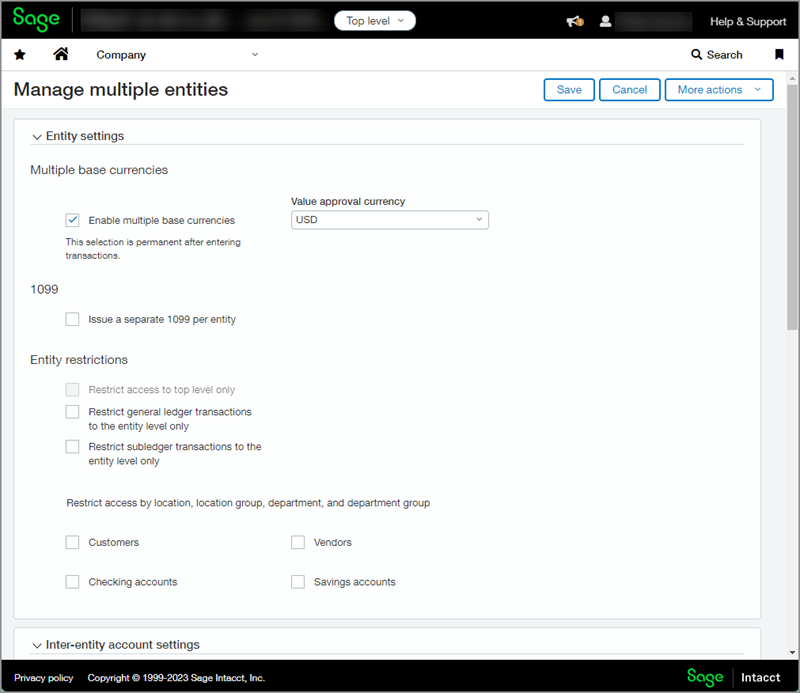
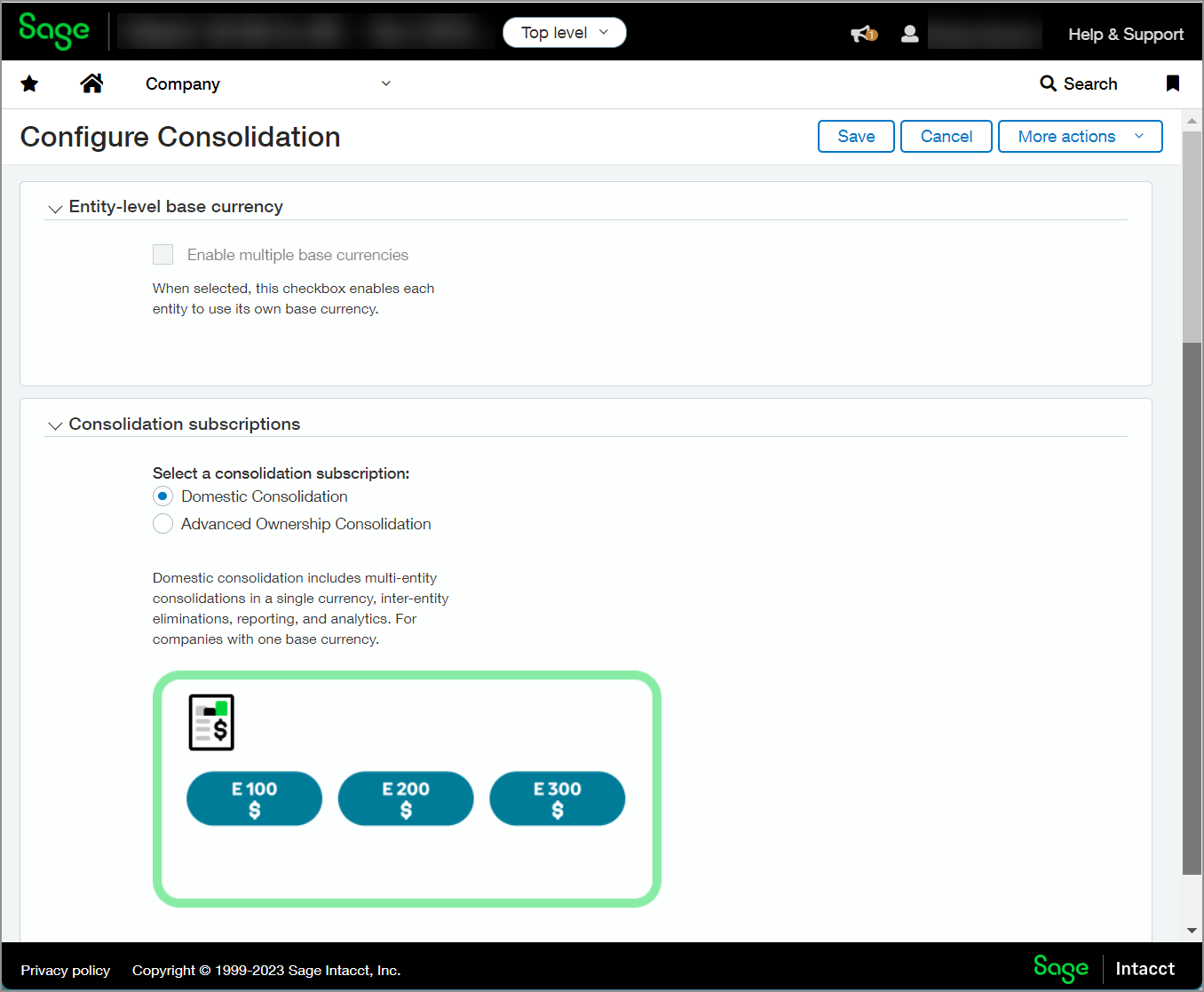
The Configure Consolidation page reflects the multiple base currency selection for reference when deciding on a relevant Consolidation subscription. For example, a company with a simple structure and one base currency, meaning the Enable multiple base currencies option is disabled, would typically subscribe to Domestic Consolidation.
-
If your company needs to use more than one operating or reporting currency, enable multiple base currencies:
-
Go to Company > Admin > Subscriptions > Multi-Entity Management > Configure.
-
Select Enable multiple base currencies.
-
-
Go to Company > Admin > Subscriptions > Consolidation > Configure.
-
Select Advanced Ownership Consolidation.
Requirements
| Subscription |
Advanced Ownership Consolidation Company |
|---|---|
| Regional availability |
All regions |
| User type |
Business user with admin privileges |
| Permissions |
Consolidation
Company
|
