CONSTRUCTIoN
New retainage VAT or GST tax calculation options in AR and AP
This idea came from you!
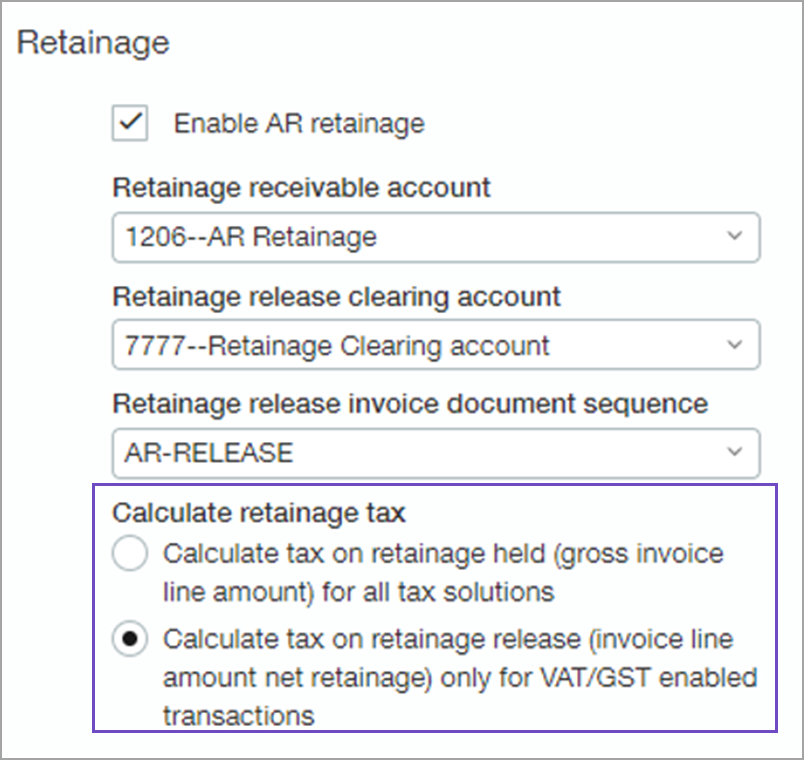
If you have a Taxes subscription with Value-Added Tax (VAT) or Goods and Services Tax (GST) set up and configured for non-US taxes, you can now configure Accounts Receivable (AR) and Accounts Payable (AP) to determine when to tax retainage, either when you hold or release retainage.
You can use Advanced Tax, Avalara, VAT, or multi-tax solutions (not Simple Tax) with our new retainage tax calculations.
Taxing released retainage uses the same tax groups from the original invoice and line. Taxing retainage when held or released on project contract billing follow the same rules.
How it works
-
Go to Taxes > Setup tab > Configuration to configure your tax subscription.
-
Go to:
-
Accounts Receivable >Setup tab > Configuration to configure customers.
-
Accounts Payable > Setup tab > Configuration to configure vendors.
-
-
Scroll down to Accounting settings, and Enable Retainage.
-
For non-VAT/GST invoice transactions, select to calculate tax on held retainage (first option), which is the default option.
-
For invoice transactions subject to VAT/GST, select to calculate tax on released retainage (second option).
-
Examples
-
Non-VAT/GST (taxed on held retainage)
AR invoice
| Pretax | $10,000 |
| Retainage 10% | $ 1,000 |
| Tax 8% |
$ 800 |
| Total | $9,800 |
Release retainage invoice
| Retainage released | $ 1,000 |
| Tax 8% |
$0 |
| Total | $ 1,000 |
-
VAT/GST (taxed on released retainage)
AR invoice
| Pretax | $10,000 |
| Retainage 10% | $ 1,000 |
| Tax 8% |
$ 720 |
| Total | $9,720 |
Release retainage invoice
| Retainage released | $ 1,000 |
| Tax 8% |
$80 |
| Total | $ 1,080 |
Requirements
| Subscription |
|
|---|---|
| Regional availability |
|
| User type |
Business user Project manager |
