Contracts
Contract expenses get listed!
In the Contracts application, an expense is the cost incurred to obtain or fulfill a contract that is amortized over the contract term. Previously, you could only add expenses through the contract or contract line record and you needed a custom report to view all expenses.
You can now use the new Expense lines list to easily manage your contract and contract line expenses. From this list, you can add new expenses, edit or view existing expenses, and import expenses. And bonus—the Expense lines list is an enhanced list, giving you the power to use advanced filters, personalize your list view, and view list and record details side-by-side.
What's new
We added new user interface elements to expand the usability of contract expenses.
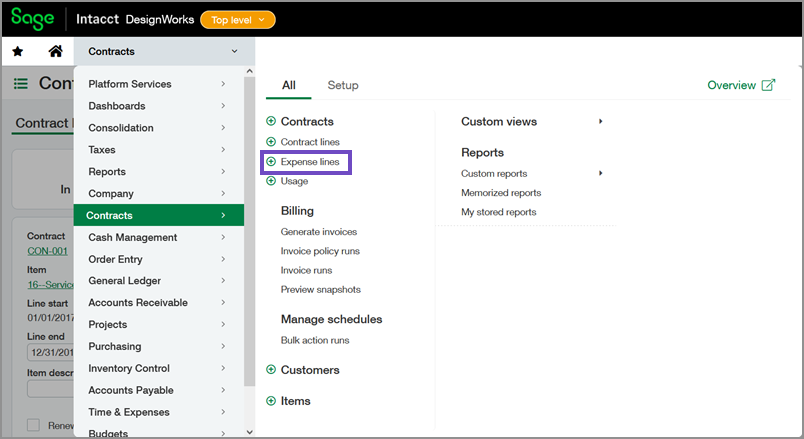
Expense lines menu option
Use the new Expense lines menu option to add an expense straight from the menu or to access the new Expense lines list.
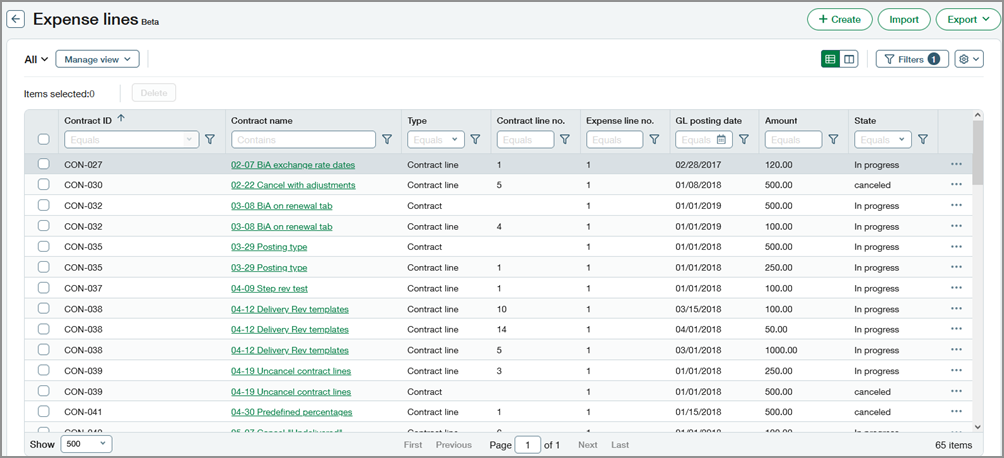
Expense lines list
The new Expense lines list uses Sage Intacct's enhanced beta list framework. This framework gives you the flexibility to add or remove columns from the view and to resize and freeze columns.
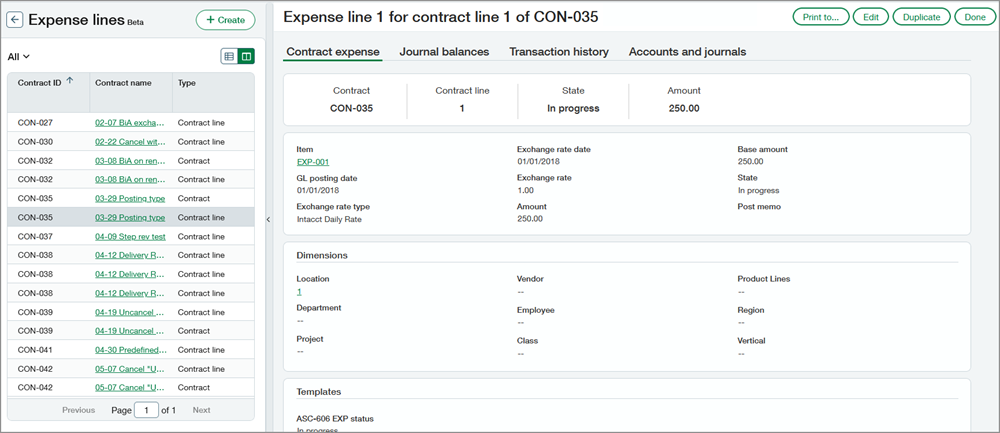
You can also view the list and record details side-by-side. You can view different expense records, edit expenses, and duplicate expenses in the split view.
Details
Note the following regarding expense lines:
- On the Contract page, we changed the Contract expense details section name to Expense lines.
- In the Expense lines list, the Type is either Contract or Contract line. For evergreen contracts, the Type will always be Contract.
Requirements
| Subscription |
Contract Expense Recognition |
|---|---|
| Regional availability |
All regions, excluding France |
| Permissions |
Contract: List, View, Edit |
