GENERAL LEDGER
Control how far into the future you allow posting
You can now limit the number of unlocked fiscal years you have. This is especially important in regions where you're required to set a limit.
Your unlocked fiscal years follow your locked period, so setting this limit controls how far into the future you can post. Limiting your unlocked fiscal years can help protect the integrity of your data, for example, by preventing accidental posting to dates far in the future.
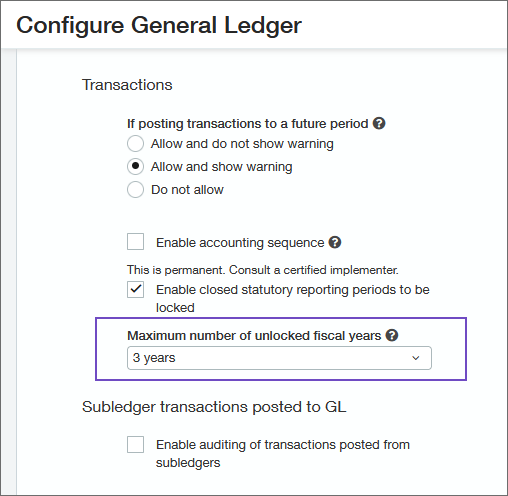
Details
Your unlocked fiscal years automatically follow your locked period so you need a locked period before your unlocked period limit will work.
For the purposes of this feature, a fiscal year is considered unlocked if any part of the year is not locked. So even if a fiscal year has only a small amount of time that is not locked, that fiscal year still counts towards the limit.
- Your fiscal year is January 1 – December 31
- You allow 3 unlocked fiscal years
- You have locked periods up to the end of November, 2023
The 3 unlocked fiscal years are 2023, 2024, and 2025. The period to which you can post transactions is December 1, 2023 – December 31, 2025.
You can set limits at the top level and the entity level. If an entity's limit is different from the top level limit, the entity's limit is used for the entity.
How it works
- Go to General Ledger > Setup tab > Configuration.
- In the Accounting settings section:
- Select Enable closed statutory reporting periods to be locked.
- In the Maximum number of unlocked fiscal years field, enter the maximum number of fiscal years to which you allow posting of transactions.
- Lock a closed statutory reporting period.
Requirements
| Subscription | General Ledger |
|---|---|
| Regional availability | All regions |
| User type | Business user with admin privileges |
| Permissions | Books: Lock closed periods |
