Inventory Control
Announcing general availability of Fulfillment for sales order management
We're pleased to announce that fulfillment for sales order management is available for all customers. Fulfillment was previously available through an early-adopter program.
Fulfillment gives warehouse managers and warehouse workers the tools to track and ship sales orders in a timely fashion to keep customers happy. It also provides pick and pack lists, which make the job of the pickers and packers on the warehouse floor more efficient and less costly. And, as sales orders move through fulfillment, Sage Intacct reserves and allocates quantities so those quantities cannot be used elsewhere.
You can manage sales orders through the processes of pick, pack, ship, invoice, or any combination of those from a single page.
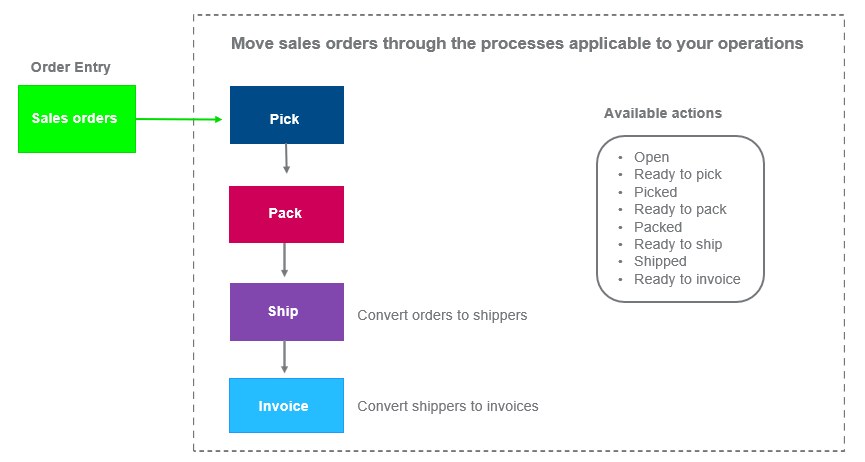
You control which processes to use depending on your operations and business practices:
| Process | Description |
|---|---|
| Pick |
|
| Pack |
|
| Ship |
|
| Invoice |
|
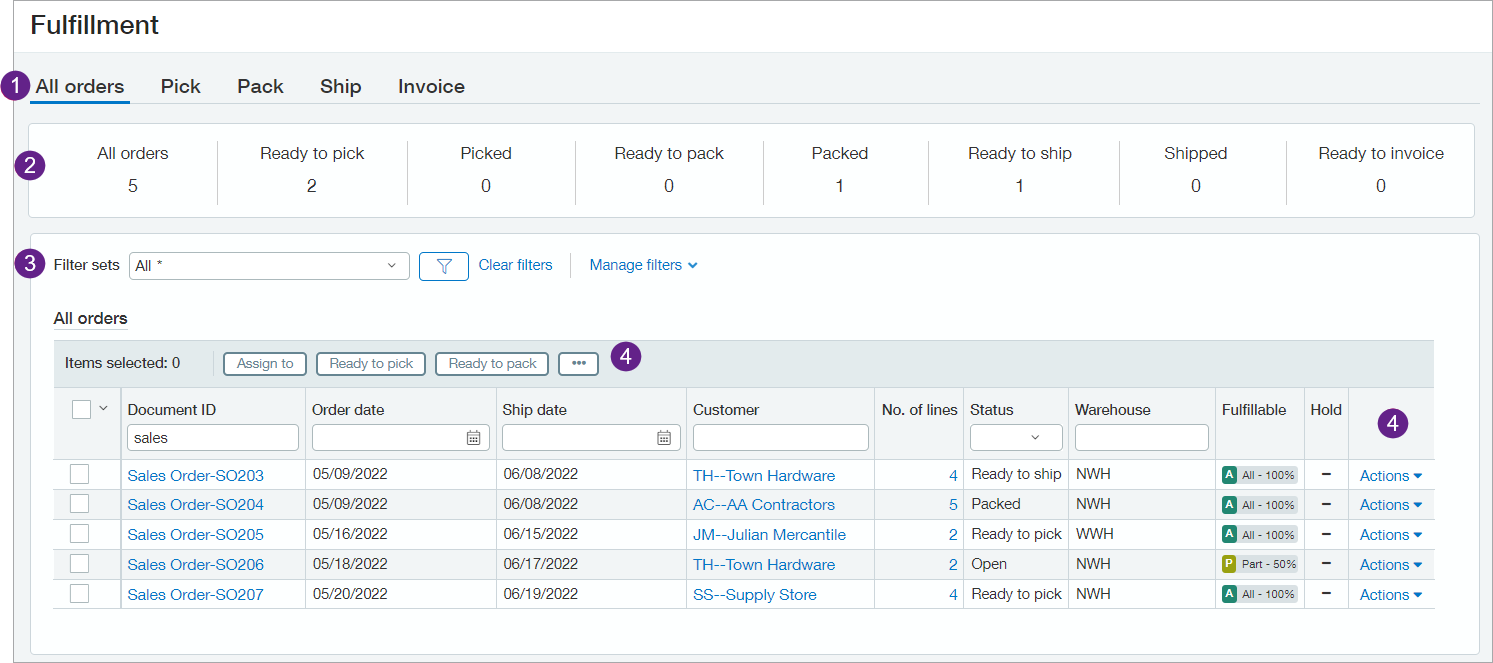
Highlights of page features:
- Tabs: The All orders tab always appears. The other tabs depend on how fulfillment is configured on the Configure Inventory Control page.
- Header: See at a glance the number of sales orders in fulfillment and how many orders are in which status.
- Filters: Filter the sales orders that appear by using the page tabs, filter sets (preset and user-defined), or the column headers in the grid.
- Management of sales orders through fulfillment: Use the Actions dropdown at the end of each line or the bulk action buttons above the grid to change the status of orders as you manage them through fulfillment. For example, change the status of one or more orders from Open to Ready to pick.
We designed fulfillment with the flexibility for tailoring it to match your specific needs:
- Configure Inventory Control to use just the processes that are applicable to your organization—Pick, Pack, Ship, Invoice.
- Get going quickly with the out-of-the-box Order Entry transaction workflow that we provide or create your own custom workflows.
- Include non-inventory items.
To learn more about this new feature, see the Fulfillment help.
Requirements
| Subscription |
Inventory Control Order Entry |
|---|---|
| Regional availability |
All regions |
| User type | Business user |
| Permissions |
Inventory Control
Order Entry
|
| Configuration |
Set up in Configure Inventory Control. |
