CONSTRUCTION
Reverse conversions in Order Entry
With this release, you can now enter opposite values on entry lines when converting an Order Entry (OE) order document. This allows you to adjust the converted amount on the original entry to correct or change the amount from a previous conversion.
Details
For example, say that you entered a line on an OE order for 100 units, converted 50 units, then determined the original conversion should be 25. You can convert the order again to add a negative 25 units for that line. This conversion corrects the original converted 50 to 25 and creates the downstream invoice with a credit for that line to the customer.

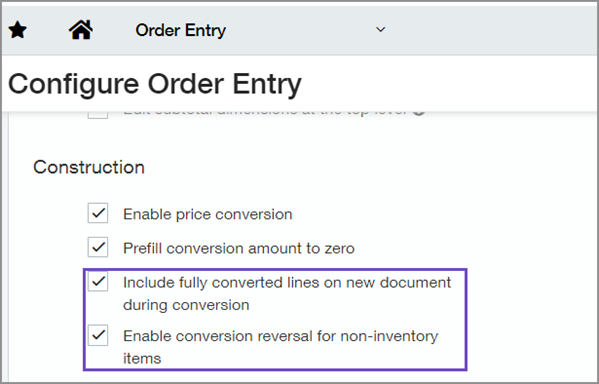
When you select to allow reverse conversions in Configure Order Entry, you can show previous fully converted lines to help you determine which lines to reverse.
Considerations for reverse conversions
-
Only OE entry lines for non-inventory items can be selected.
-
Items set as available for dropship, buy to order, or stockable kits are ineligible for reverse conversion.
-
In order to reverse a converted entry line, you can only enter an opposite sign from the sign used in the original entry.
How it works
Follow these steps to enable Order Entry conversion reversals.
-
Go to Order Entry > Setup > Configuration.
-
In the Construction section, select Enable conversion reversal for non-inventory items.
-
Select Save.
After, when you convert a transaction in Order Entry, you'll see the new Reverse conversion column available. Select this option and enter a negative amount to adjust the original conversion entry.
Requirements
| Subscription |
Construction Order Entry |
|---|---|
| Regional availability |
|
| User type |
Business user |
| Permissions |
Order Entry: Reverse conversions Only available for Construction subscriptions.
|
