Projects
Latest enhancements in Sage Intacct Project Intelligence
Sage Intacct Project Intelligence provides insight into employee time and performance. Understanding employee efficiency helps uncover project trends and drive smart business decisions.
The latest release of Project Intelligence introduces enhancements designed to streamline project management and financial processes for service organizations.
Distribute fixed fee revenue
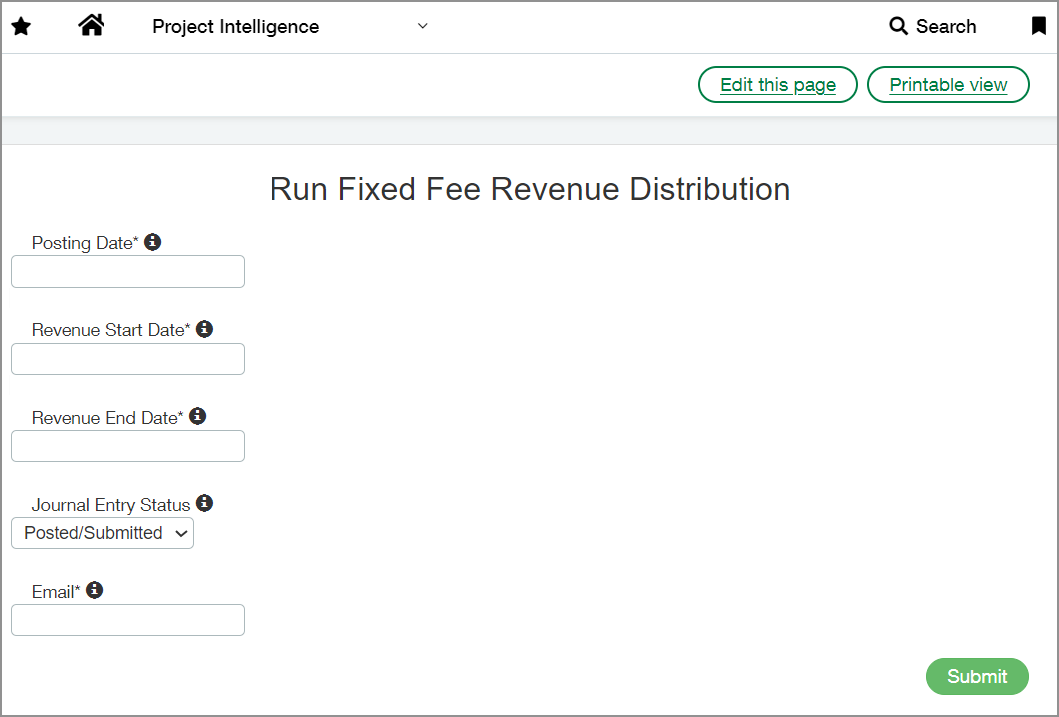
Service organizations often engage in fixed-fee basis project work. Project Intelligence can distribute fixed fee revenue to employees based on their billable hours worked on fixed fee projects.
Before you can distribute fixed fee revenue, configure Project Intelligence to establish accounts, dimension groups, journals, and other relevant details. See Configuring fixed fee revenue distribution for more information.
To distribute revenue, go to Project Intelligence > Run FF Revenue Distribution. For more information, see Distributing Fixed Fee Revenue.
Bulk import project percent complete information
You can now upload a .csv file to update observed percent complete values in bulk. This ensures accurate data on dashboards and reports, including estimated efficiency calculations on the Project Analytics dashboards.
To import projects' observed percent complete data, go to Project Intelligence > Import Project Percentages.
You can use the Download Template link to download a file that contains the columns required for the import to succeed.

After you add the relevant details to the file, select Choose File, select your file, and then select Import.
An email is sent with details about the import status and, if the import fails, information is provided about the cause of the failure.
For more information, see Bulk Importing Project Progress Percentages.
Track operating costs
Operating costs, covering non-labor expenses like billable materials, are now factored into both actual and estimated gross profit calculations across the Profitability and Project Analytics dashboards. Operating cost totals are also displayed on dashboard performance cards and reports.
To omit operating costs from gross profit calculations and dashboards, do not assign accounts to the SI-Service Operating Costs unmanaged account group.
Other enhancements
-
New performance cards are available to track operating costs for the following time frames:
-
Year to date
-
This month
-
Trailing one-year period.
-
-
A new Bottom 25 Customers and Projects report highlights the lowest performing customers and projects with associated operating costs.
-
Operating costs have been added to the following reports:
-
Top 25 Customers and Projects
-
Updated PM Overview Financials
-
Requirements
| Subscription | Sage Intacct Project Intelligence |
|---|---|
| Regional availability |
Canada United States |
