Sage AI and Automation
Close Automation now supports multi-base currencies
Close Automation is a set of tools, including Subledger Reconciliation Assistant and Variance Analysis, designed to accelerate your period-end close.
-
Subledger Reconciliation Assistant saves you time and effort by automating some of the tasks required to reconcile subledgers with General Ledger.
-
Variance Analysis alerts budget owners and finance leaders whenever actual spending exceeds your budget.
Subledger Reconciliation Assistant and Variance Analysis have been enhanced to work in companies with multiple base currencies enabled.
How it works for Subledger Reconciliation Assistant
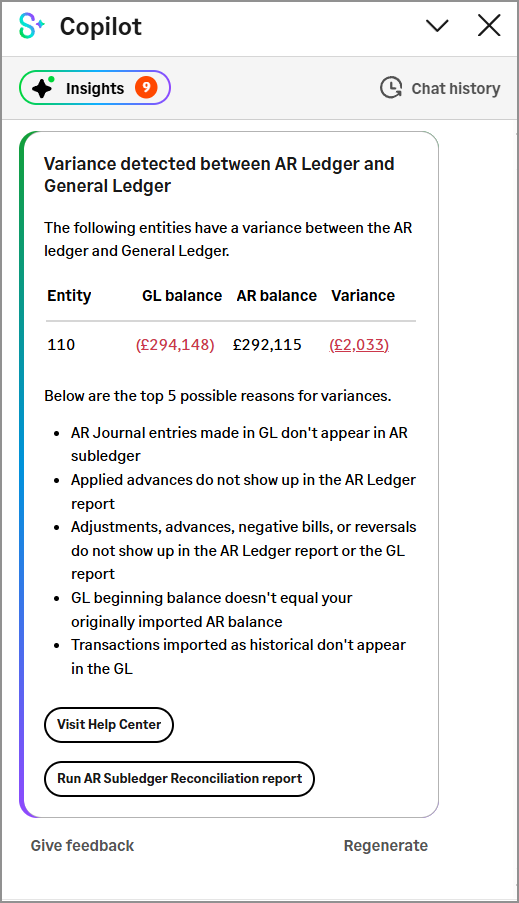
If your company has multi-base currencies enabled, Subledger Reconciliation Assistant always shows information for entities that share the same base currency.
How it works for Variance Analysis
For both Copilot generated insights and on-demand reviews, you'll select an entity group with members that share the same base currency.
Copilot insights
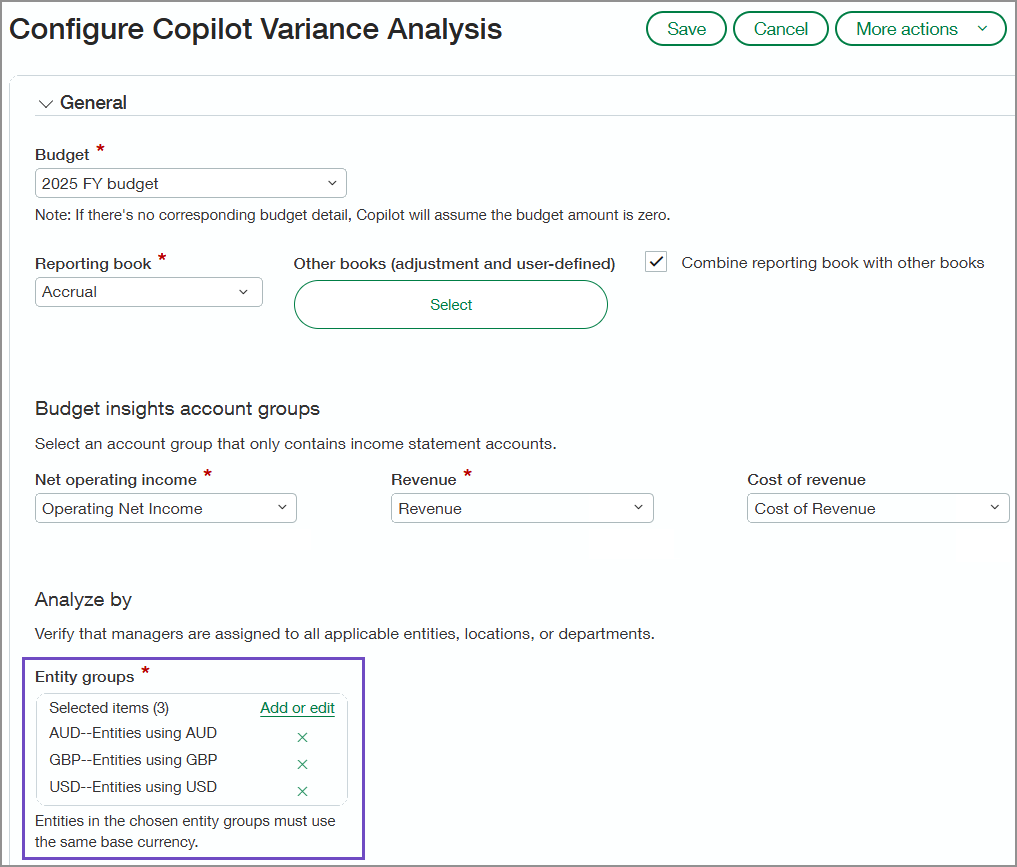
If your company has multi-base currencies enabled, you'll specify which entity (location) groups will be included in the Variance Analysis insights. The group members must all use the same base currency.
On-demand review
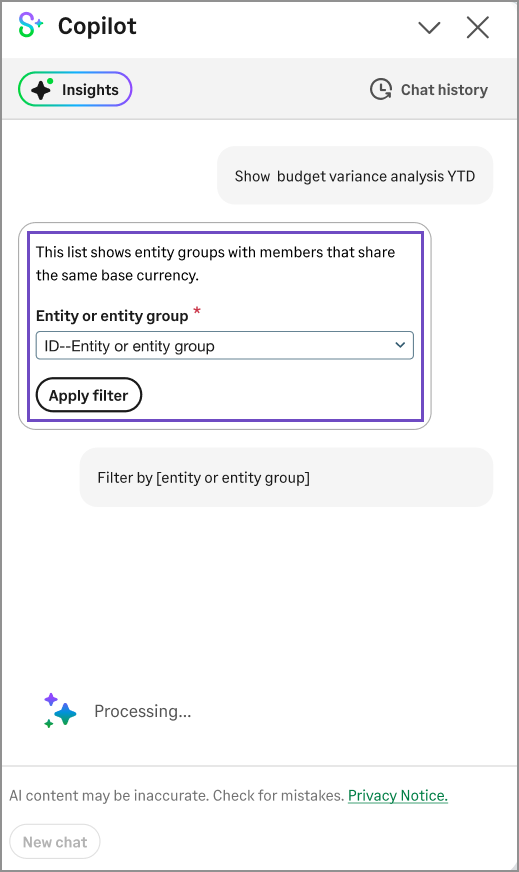
If your company has multi-base currencies enabled, when you run Variance Analysis from the Copilot panel, you'll start by selecting an entity or entity group. The dropdown list includes only entity groups in which all members share the same base currency.
Permissions and other requirements
| Subscription |
|
|---|---|
| Regional availability |
All regions |
| User type |
Business Employee Project Manager |
| Permissions |
Sage Copilot Close Automation
General Ledger
|
