Sage AI and Automation
Improved drill-down capability in Close progress monitor
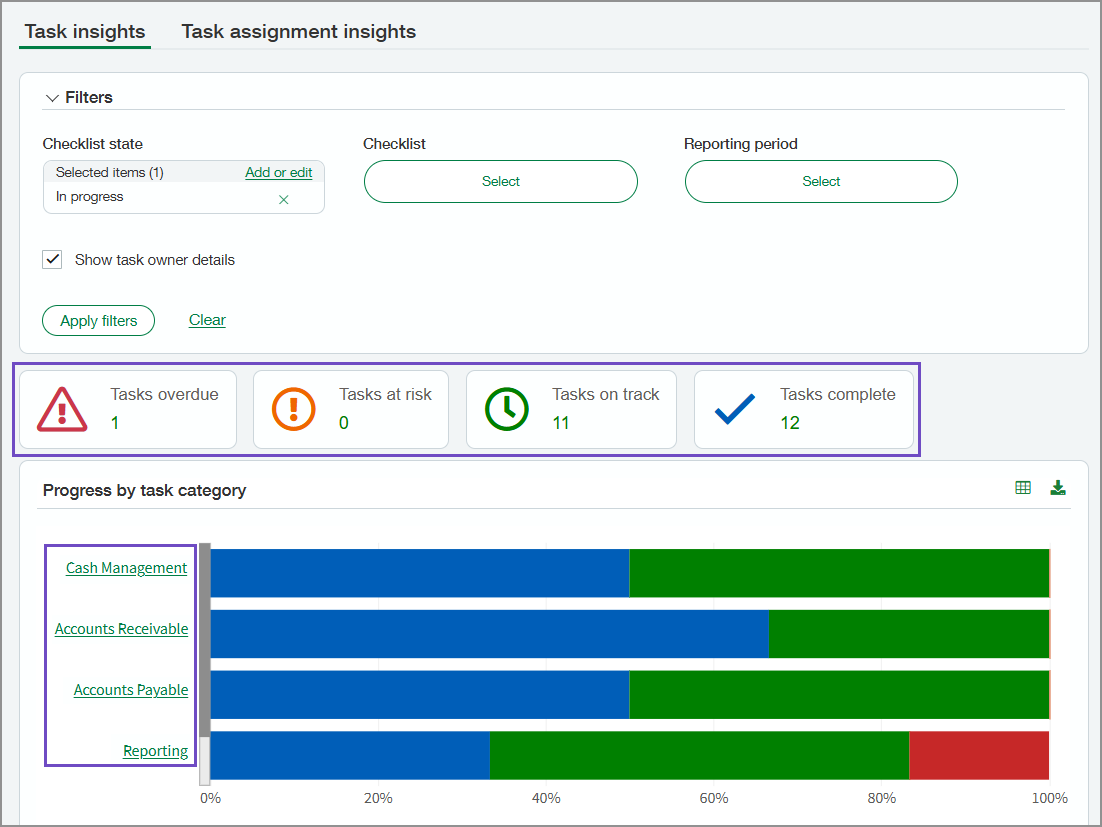
In the Close progress monitor, you can now drill down to task lists from the task status tiles and the Progress by Task Category graph.
How it works
To view the page, go to Close Workspace > All > Close progress monitor.
On the task status tiles that show the number of tasks with that status, select the number to view a list of the associated tasks.
In the Progress by Task Category chart, select a category name to view a list of the associated tasks.
Permissions and other requirements
| Subscription |
Sage Copilot Close Automation |
|---|---|
| Regional availability | All regions |
| User type |
Business |
| Permissions |
Close progress monitor: Run |
